What to do if the Solv Kiosk is frozen
Last updated: September 24, 2026
Can't click "Check in"? Read below!
If you're unable to click on the "Check in" button on the Solv Kiosk, there may be an issue with your timezone settings.
Before you restart the iPad, please follow the instructions below:
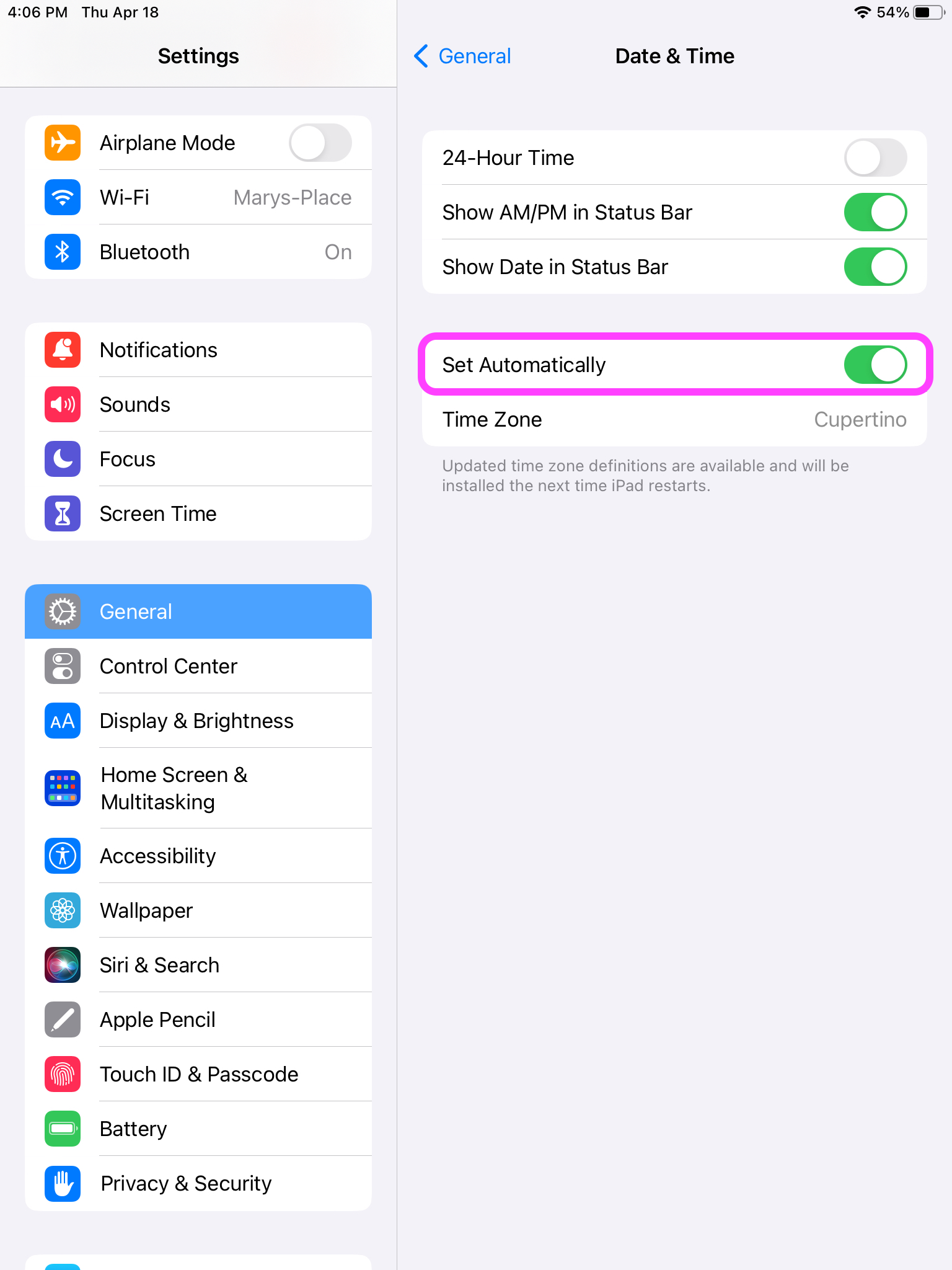
Go to Settings
General
Date & Time
Set Automatically -> Turn ON