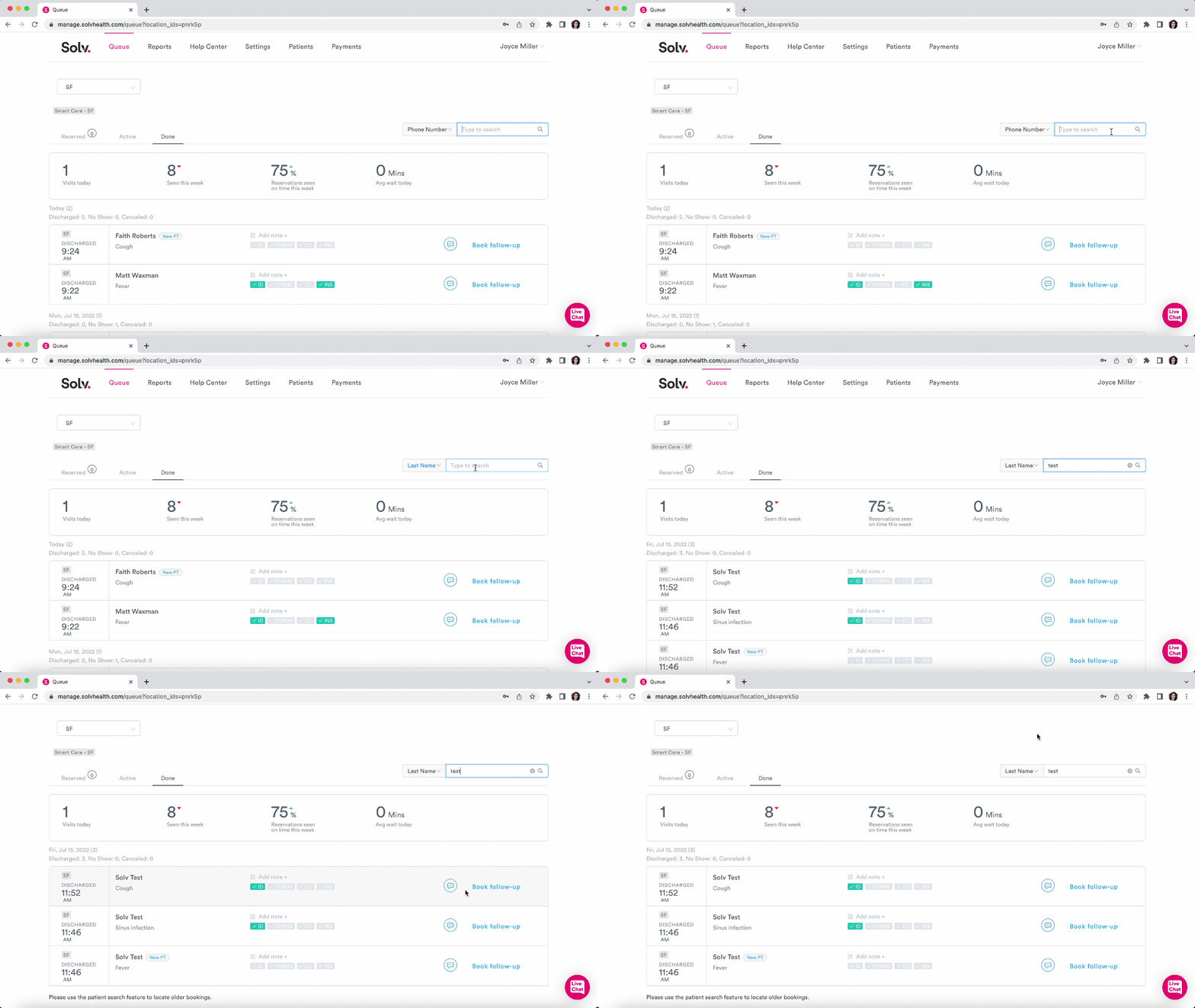
Search for a patient in the Solv Queue
Last updated: September 24, 2026
How to find a patient in the Solv Queue
Looking for a patient that has been added to Solv? Searching in the Queue is easy! Click on the spyglass icon in the upper right corner of the Solv Queue and search by either
Phone number
Email address
First Name
Last name
The patient record matching the data you searched for will then appear at the top.