How do I locate a booking ID?
Last updated: October 14, 2026
Booking IDs are assigned to each individual visit a patient has. When helping you troubleshoot an issue or update something on a patient visit, the Solv Support and Partner teams may as you for a specific Booking ID to ensure we are reviewing or updating the right patient and booking.
To locate the booking ID:
Click on the patient within the queue
Within the facesheet that opens, the booking ID displays in a box towards the center of the screen
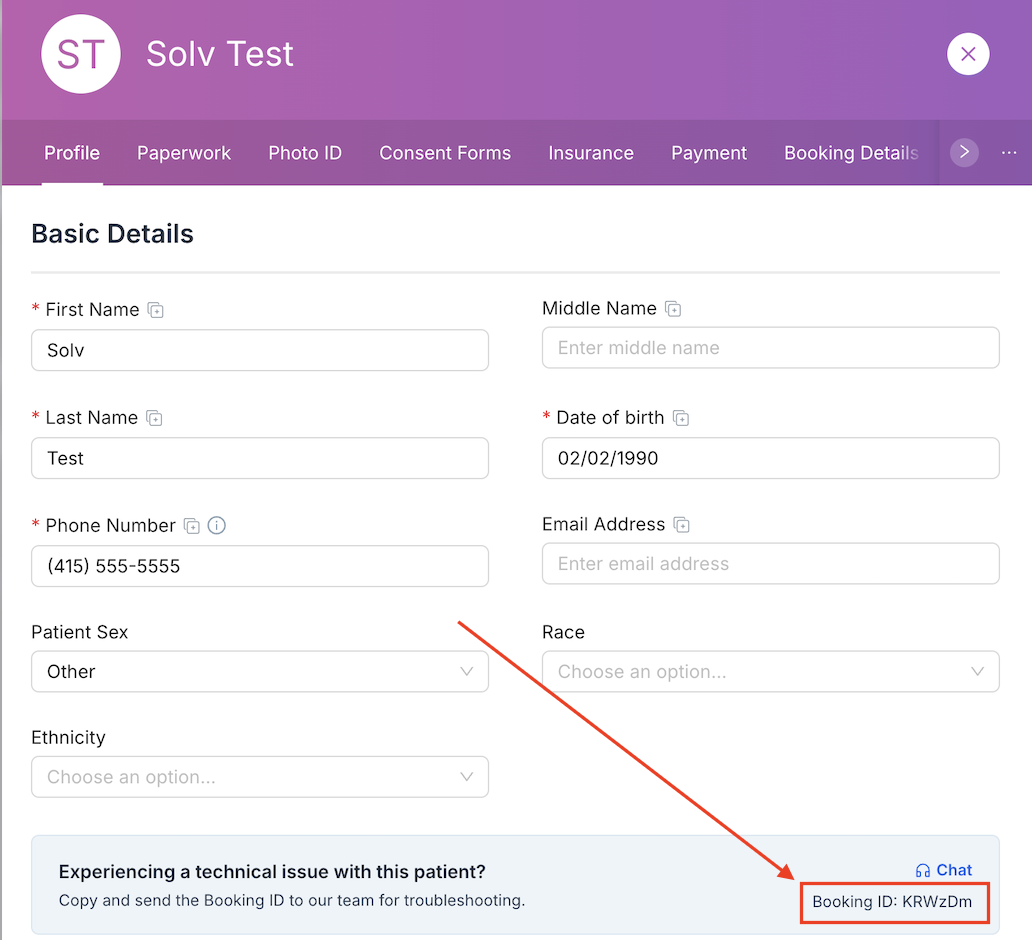
The other method for locating the booking ID is:
Click the 'Patient's' tab in the left hand sidebar
Search the patient's name and find the specific date of their visit
Open the facesheet, and find the booking ID in the same spot as the screenshot above