How to book a patient's follow-up visit from the Solv queue
Last updated: September 28, 2026
Scheduling a follow-up visit for a patient can be done in just a few easy steps! Please follow the steps below
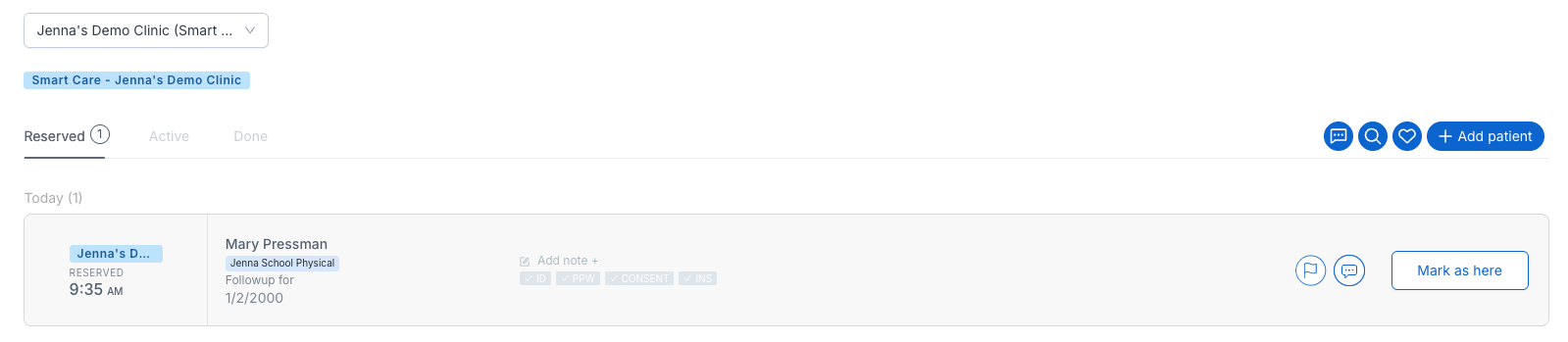
Navigate to the Solv queue where you can see the Reserved, Active, and Done tabs
From any of these tabs, click on the patient's name so that the patient modal pops up
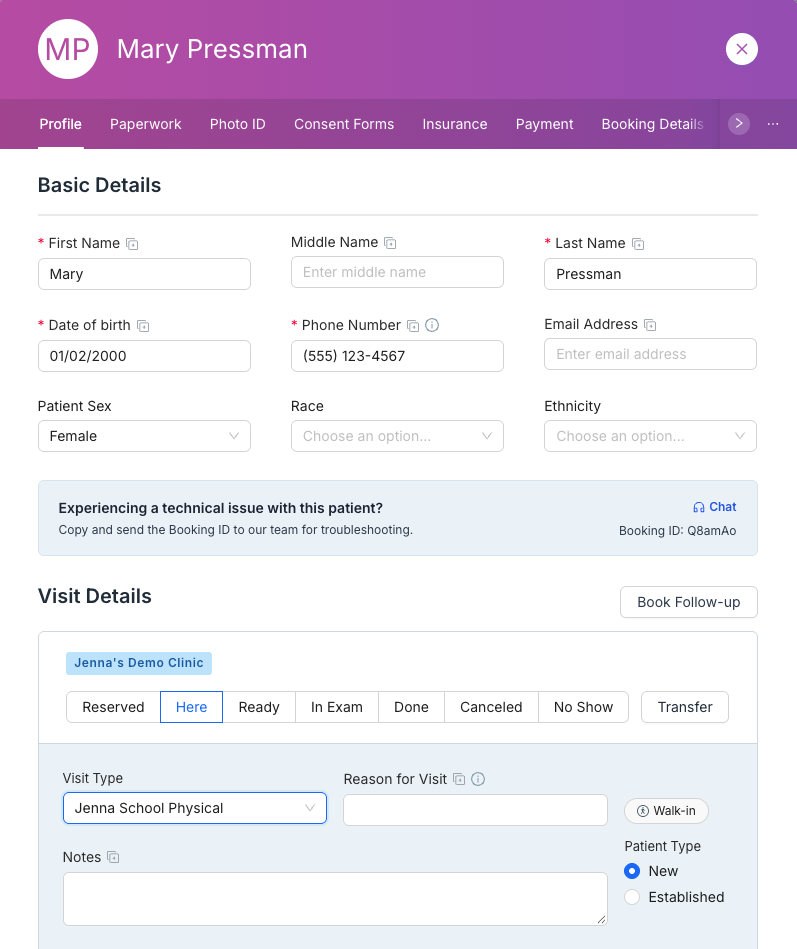
Click on the Book Follow-up button, select the follow-up location, and review the rest of the information in the modal that appears.
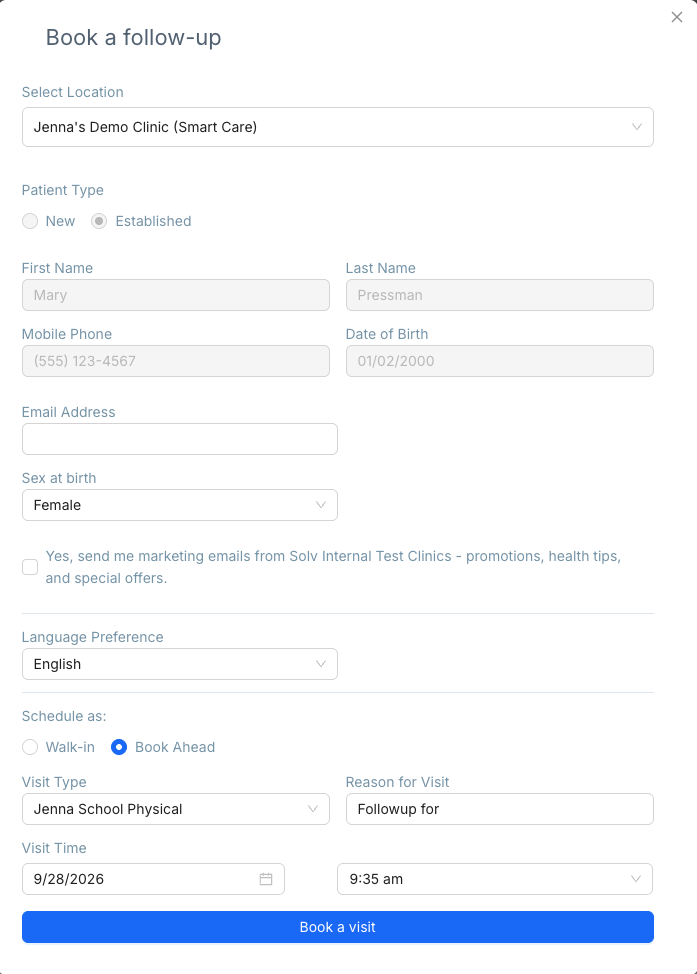
Here you can update the patient's reason for visit, and select a date and time for the patient's visit.
Please note: patient first name, last name, mobile number, and date of birth cannot be updated.
Click on Book a visit in the lower right corner of the modal, and you'll be able to see the patient's scheduled visit in the Reserved tab.